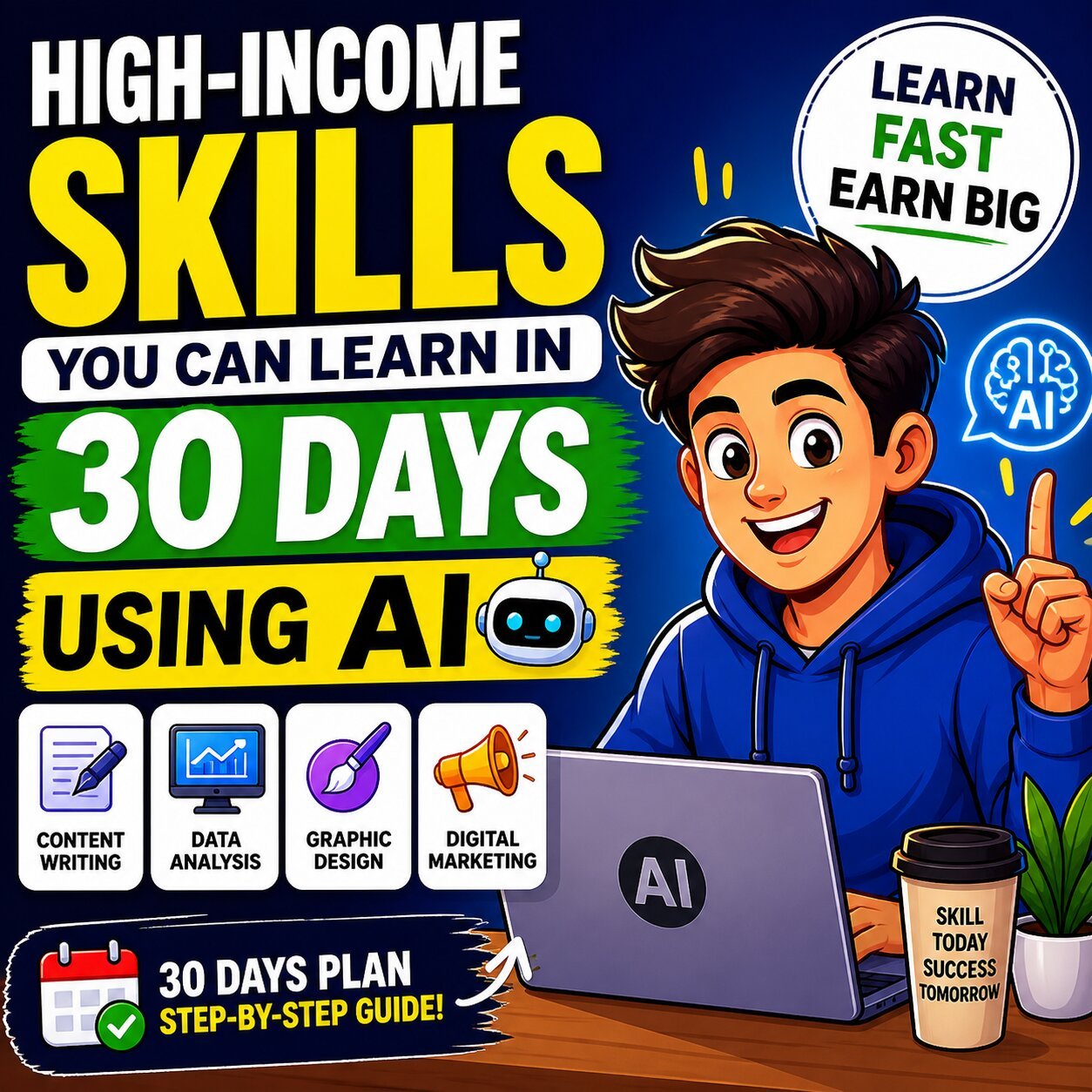
7 High-Income Skills You Can Learn in 30 Days Using AI
The freelance economy is rewriting the rules of income — and AI is holding the pen.
If you’ve been searching for high-income skills you can learn in 30 days using AI, 2026 is arguably the best window in history to start. Not because the tools are shiny and new, but because businesses are now actively paying a premium for people who know how to use them. According to Upwork’s 2026 In-Demand Skills Report, demand for AI-related freelance skills grew 109% year-over-year — with some categories, like AI video editing, surging by over 329%.
The traditional path — spend years in school, earn a degree, hope someone hires you — is no longer the only option. Today, a motivated person with a laptop, a clear skill focus, and the right AI tools can go from beginner to paid professional in a single month.
This guide breaks down seven of the most monetizable, beginner-accessible, AI-accelerated skills you can start learning today — with a realistic 30-day plan for each, the tools you’ll need, and exactly where to find your first paying clients.
Let’s get into it.
Why 2026 Is the Best Time to Learn High-Income Skills with AI
Before we list the skills, it’s worth understanding why this moment is different from every “learn to code in 30 days” trend that came before it.
The AI Skill Premium Is Real
Freelancers who actively use AI tools don’t just work faster — they earn more. Data from Upwork shows that generative AI specialists earn up to 22% more per hour than their non-AI counterparts in the same category. Meanwhile, McKinsey’s AI economic research projects AI could contribute $13 trillion to the global economy by 2030 — and that money has to go somewhere. A significant portion goes to the skilled independent workers who make it happen.
AI-related job postings in the US grew approximately 25.2% year-over-year in Q1 2025, with median salaries for AI roles reaching nearly $157,000. For freelancers, that translates into elevated client budgets and willingness to pay premium rates.
The 30-Day Window — Is It Actually Real?
Honest answer: yes, with context.
AI doesn’t eliminate the need to learn — it compresses the timeline dramatically. Where mastering SEO writing once took 6–12 months of trial and error, you can now use AI tools to generate practice briefs, get instant feedback, and produce work that resembles an experienced writer’s output within weeks.
Thirty days won’t make you an expert. But it will make you competent enough to charge for your work — which is all you need to start. Expertise comes with repetition, and repetition comes from paid projects.
Degrees Are Out. Demonstrated Skills Are In.
According to Upwork’s research, 74% of executives say degrees are irrelevant when hiring freelancers. They want to see what you’ve built, not where you went to school. That’s a profound shift — and it means your 30-day portfolio project carries more weight than a semester of coursework.
If you’re exploring the broader landscape of where AI is creating career opportunities, our guide on Best AI-Powered Careers to Start in 2026 is a strong companion read before diving into a specific skill.
How to Choose the Right Skill Before You Start
Not every skill on this list is right for every person. Before committing to 30 days of focused learning, run this quick three-question filter:
- What do I already have some foundation in? — Writers gravitate toward SEO writing or copywriting. Designers lean toward AI video or social media. Process-oriented people excel at automation.
- How quickly do I need income? — Some skills (video editing, social media) lead to faster first clients. Others (chatbot dev, automation) pay more per project but take slightly longer to close.
- Am I willing to do outreach? — Every skill requires you to talk to potential clients. The skills themselves won’t find work for you.
Once you’ve answered those, pick one skill and commit fully. Trying to learn three skills in parallel is the fastest way to master none of them.
7 High-Income Skills You Can Learn in 30 Days Using AI
Skill #1: AI-Powered SEO Content Writing
What It Is
AI-powered SEO content writing is the practice of producing search-optimized blog posts, landing pages, and web content using AI writing tools combined with SEO strategy. The human brings structure, judgment, and brand alignment — the AI handles research, drafting, and optimization velocity.
Why It’s High-Income in 2026
Businesses aren’t cutting content budgets — they’re cutting bad content budgets. Strategic, well-optimized content that ranks and converts is more valuable than ever. Freelance SEO writers with AI workflows charge anywhere from $0.15–$0.50 per word, and retainer clients pay $300–$1,500 per month for ongoing blog management.
The market is especially hot for SaaS companies, health and wellness brands, and e-commerce businesses that need consistent, high-volume content without maintaining a full-time in-house team.
How AI Helps You Learn It in 30 Days
AI tools collapse three major bottlenecks in SEO writing: research time, first-draft paralysis, and optimization guesswork. Tools like Surfer SEO analyze top-ranking competitors and tell you exactly what to include. Claude or ChatGPT can produce a structured draft in minutes. You spend your energy where humans are irreplaceable — adding original insight, refining brand voice, and making editorial decisions.
Your 30-Day Learning Path
- Week 1: Learn keyword research fundamentals using free tools (Google Search Console, Ahrefs Free, Ubersuggest). Understand search intent — navigational, informational, transactional.
- Week 2: Practice AI-assisted drafting workflows. Feed a keyword brief into ChatGPT or Claude; learn to edit outputs for flow, originality, and accuracy.
- Week 3: Use Surfer SEO or NeuronWriter to optimize a draft. Study on-page SEO — headings, internal links, meta descriptions, and readability scores.
- Week 4: Produce three portfolio pieces on topics you understand. Create profiles on Upwork and Fiverr. Begin outreach to 10 small businesses or SaaS startups.
Tools to Use
- Writing & drafting: ChatGPT, Claude, Writesonic, Koala AI
- SEO optimization: Surfer SEO, NeuronWriter, Clearscope
- Research: Ahrefs (free tier), Google Trends, AnswerThePublic
Where to Monetize
- Upwork (long-term retainers), Fiverr (one-off posts), LinkedIn (direct B2B outreach), cold email to SaaS blogs with content gaps
Before pitching clients, make sure your professional profile reflects your new direction. Running your resume through the AI-Powered Resume Analyzer can help you reframe your existing experience in a way that positions you as an AI-savvy content professional — even if you’re just starting out.
Skill #2: Prompt Engineering
What It Is
Prompt engineering is the practice of designing structured, precise inputs that consistently extract high-quality, reliable outputs from large language models (LLMs) like ChatGPT, Claude, and Gemini. It’s less about technology and more about language — knowing how to frame a question, define a context, and set constraints so the AI delivers exactly what you need.
Why It’s High-Income in 2026
Think of prompt engineering as the “operating system” for every other AI skill. Companies across marketing, legal, healthcare, HR, and software development are building internal prompt libraries to standardize how their teams use AI. They’re paying $80–$150/hour for freelancers who can build those systems — and that demand is accelerating as more departments integrate AI into daily workflows.
Beyond consulting, there’s a growing passive income layer: platforms like PromptBase allow engineers to sell prompt packs, with successful sellers generating $500–$2,000/month from digital product sales alone.
How AI Helps You Learn It in 30 Days
Here’s the unique advantage of this skill: AI teaches you prompt engineering while you practice it. You can literally ask Claude or ChatGPT to critique your prompt, suggest improvements, and explain why one formulation outperforms another. The feedback loop is instant and free.
Your 30-Day Learning Path
- Week 1: Master foundational techniques — zero-shot, few-shot, and chain-of-thought prompting. Study the “role + context + task + format” structure that produces consistent outputs.
- Week 2: Build a domain-specific prompt library. Choose a vertical (marketing, HR, legal, e-commerce) and create 20–30 reusable prompts tailored to that industry.
- Week 3: Integrate prompts into automation workflows using Notion AI, Zapier, or Make. Learn how prompts power real business processes, not just one-off outputs.
- Week 4: Package your prompt library as a product or service offering. List on PromptBase, pitch to marketing agencies, or offer “Prompt Strategy Sessions” on Upwork at $75–$100/hour.
Tools to Use
- Practice: ChatGPT Plus, Claude Pro, Google Gemini Advanced
- Sell prompts: PromptBase, Gumroad
- Build workflows: Notion AI, Zapier, Make.com, OpenAI Playground
A Mini Workflow Example
Bad prompt: “Write me a blog post about AI.”
Strong prompt: “You are a senior content strategist writing for a B2B SaaS audience. Write a 600-word blog introduction on how AI workflow automation reduces operational costs for e-commerce brands. Use a professional but conversational tone. Open with a counterintuitive stat. End with a soft CTA toward a free audit.”
The second prompt produces publish-ready content. The difference is structure — and that’s what clients pay for.
To organize everything you’re learning into a system that compounds over time, our guide on Building a Second Brain with AI for Career Growth shows you exactly how to structure your knowledge so it scales.
Skill #3: No-Code Automation & AI Workflow Design
What It Is
No-code automation is the practice of building digital workflows that connect apps, eliminate repetitive manual tasks, and embed AI into business processes — without writing a single line of code. Platforms like Zapier, Make.com, and n8n use visual drag-and-drop logic, making this one of the most accessible technical skills available.
Why It’s High-Income in 2026
Businesses are hemorrhaging hours to manual, disconnected processes — copy-pasting data between apps, manually sending follow-up emails, updating spreadsheets by hand. A single automation can reclaim 10–20 hours per week for a small business. That’s why specialists in this area regularly charge $75–$200/hour for consulting and $1,500–$5,000 per project for custom builds.
The recurring revenue opportunity is significant too. Once you build an automation system, you can charge $300–$1,000/month for maintenance, updates, and monitoring — a retainer model that compounds quickly across multiple clients.
How AI Helps You Learn It in 30 Days
AI dramatically lowers the technical barrier. Not sure how to structure a multi-step workflow? Ask Claude to map it out. Need to write a formula for an Airtable field or a JavaScript snippet for a Zapier filter? ChatGPT handles it in seconds. AI essentially acts as a senior developer sitting next to you, answering questions in real time.
Your 30-Day Learning Path
- Week 1: Complete Zapier’s free onboarding course. Build five basic automations — email notifications, form-to-spreadsheet syncs, CRM updates.
- Week 2: Graduate to Make.com for more complex, multi-branch workflows. Explore n8n for open-source, self-hosted options. Build an automation with 5+ steps.
- Week 3: Add AI nodes into your flows. Connect OpenAI API to trigger AI responses based on form submissions, emails, or CRM activity.
- Week 4: Identify 10 local businesses with obvious automation needs (real estate agents, dental clinics, e-commerce stores). Offer a free “Automation Audit” to land your first client.
Tools to Use
- Automation platforms: Zapier, Make.com, n8n, Power Automate
- Data management: Airtable, Notion, Google Sheets
- AI integration: OpenAI API, Claude API, Anthropic Console
Why This Skill Has Long-Term Durability
No-code automation isn’t just a trend — it’s the infrastructure layer of the modern business. And unlike content creation, your work doesn’t get commoditized by AI. You’re using AI as a building block, not competing with it. That’s a fundamentally stronger position.
Skill #4: AI Video Creation & Editing
What It Is
AI video creation involves generating, editing, repurposing, and enhancing video content using AI-powered tools. This ranges from text-to-video generation (creating raw footage from a script) to AI-enhanced post-production (automated captions, scene transitions, voiceovers, and avatar presenters).
Why It’s High-Income in 2026
This is not a speculation — it’s the data. AI video generation and editing was the single fastest-growing AI skill on Upwork in 2025, surging 329% year-over-year. Brands, course creators, agencies, and content marketers are all racing to produce more video with smaller teams. A skilled AI video specialist can charge $500–$5,000 per project, with brand video retainers reaching $3,000–$10,000/month.
The fastest monetization path for beginners is UGC-style ad creative for e-commerce brands — high demand, fast turnaround, and brands are actively recruiting creators on platforms like Billo and JoinBrands.
How AI Helps You Learn It in 30 Days
Traditional video editing required years of learning Adobe Premiere, color grading, audio mixing, and motion graphics. AI collapses all of that. Tools like Descript allow you to edit video by editing a text transcript. Runway ML and Kling AI generate footage from text prompts. CapCut AI adds captions, removes backgrounds, and applies transitions automatically. Zero prior experience is required.
Your 30-Day Learning Path
- Week 1: Explore AI video generation tools. Use Runway ML or Kling AI to create short clips from text prompts. Experiment with Sora 2 if accessible. Get comfortable with prompt-to-video workflows.
- Week 2: Layer in post-production. Use Descript to edit and polish clips. Add AI captions via CapCut. Experiment with HeyGen to create AI avatar presenter videos.
- Week 3: Choose a niche. Options include: YouTube Shorts for personal brands, LinkedIn explainer videos for B2B companies, AI-generated ad creative for e-commerce, or training videos for startups.
- Week 4: Produce three niche-specific portfolio samples. Launch on Fiverr with a clear service package. DM 20 e-commerce brands on Instagram or LinkedIn offering a free first video.
Tools to Use
- Generation: Runway ML, Sora 2, Kling AI, Pika Labs
- Editing: Descript, CapCut AI, Adobe Firefly
- Presenters & voiceovers: HeyGen, Synthesia, ElevenLabs
- Distribution & analytics: TubeBuddy, VidIQ
Pro Tip
The highest-converting service offer for beginners: “I’ll create three 30-second AI video ads for your brand for $297.” It’s low-risk for the client, fast to produce with AI tools, and instantly demonstrates value with measurable ad performance.
Skill #5: AI-Assisted Copywriting & Conversion Writing
What It Is
Copywriting is the craft of writing words that persuade people to take action — buy a product, sign up for a newsletter, click a button, or book a call. AI-assisted copywriting uses tools like Claude, Jasper, and Anyword to accelerate production while the human applies psychological frameworks (AIDA, PAS, StoryBrand) to ensure the copy actually converts.
Why It’s High-Income in 2026
Good copy is one of the highest-ROI investments a business can make — and they know it. A skilled direct-response copywriter can command $150–$300/hour or $5,000–$25,000 for a single sales page. Email sequences sell for $1,000–$5,000, and Facebook ad copy packages run $500–$2,000.
The 2026 market has a specific gap: most AI-generated copy is technically correct but emotionally flat. Copywriters who understand conversion psychology and can use AI to scale their output without losing human nuance are exceptionally rare — and paid accordingly. As LinkedIn’s Workforce Insights confirm, persuasive communication remains among the top skills employers can’t find enough of.
How AI Helps You Learn It in 30 Days
AI gives copywriting beginners an unfair advantage: you can generate 50 variations of a headline in two minutes, then analyze which formulations best match your target audience’s psychological triggers. This used to require years of split-testing experience. Now it’s Tuesday morning.
Your 30-Day Learning Path
- Week 1: Study the AIDA framework (Attention, Interest, Desire, Action) and the PAS framework (Problem, Agitate, Solution). Analyze 10 high-converting sales pages from brands like Basecamp, Notion, or ClickFunnels. Break down what makes each section work.
- Week 2: Use Claude or ChatGPT to generate 10 different versions of the same piece. Learn to evaluate them against the frameworks. Practice rewriting AI output to add emotional depth, specificity, and authenticity.
- Week 3: Choose a format to specialize in — email sequences, Facebook/Instagram ad copy, or sales landing pages. Depth beats breadth at this stage.
- Week 4: Write a spec project for a brand you admire (real copy for a hypothetical campaign). Offer to rewrite one email sequence for a small business for free in exchange for a testimonial and a case study.
Tools to Use
- AI writing: Claude, ChatGPT, Jasper AI, Copy.ai
- Performance prediction: Anyword (predicts conversion score before publishing)
- Editing & readability: Hemingway Editor, Grammarly
- Research: SparkToro (audience research), Facebook Ad Library (competitor copy)
A Simple Framework That Works
Use this three-layer check on every piece of AI-generated copy before sending to a client:
- Does it speak to a specific pain? Vague copy converts no one.
- Is there a clear, single call to action? Every line should point toward one outcome.
- Does it sound human? Read it aloud. If it sounds like a robot wrote it, it needs another pass.
Skill #6: AI-Powered Digital Marketing & Social Media Strategy
What It Is
AI-powered digital marketing covers managing content calendars, social media growth, paid ad strategy, email marketing, and audience engagement — all accelerated by AI tools that handle the research, creation, scheduling, and analytics that once required an entire agency team.
Why It’s High-Income in 2026
Digital marketing managers earn an average of $131,870/year according to the Bureau of Labor Statistics. Freelance social media strategists charge $50–$150/hour, and boutique agency packages (5–10 clients) can generate $10,000–$30,000/month. The title “AI Social Media Strategist” doesn’t yet appear on most agency websites — which means early movers get to define the premium positioning.
How AI Helps You Learn It in 30 Days
AI tools have made content creation, scheduling, and performance analysis dramatically more accessible. Canva AI generates on-brand graphics in seconds. Predis.ai creates social media posts from a single URL or product description. ChatGPT can write a month’s worth of LinkedIn content in an afternoon. What once required a content team of four now requires one person with the right AI stack.
For anyone transitioning into this role, exploring the Best AI Tools for Office Workers in 2026 will give you a solid foundation for which platforms are already embedded in client workflows.
Your 30-Day Learning Path
- Week 1: Learn platform-specific algorithm principles for LinkedIn, Instagram, and TikTok. These change constantly — use YouTube and Substack newsletters from platform-specific creators for current intel.
- Week 2: Build an AI content creation stack. Use Canva AI for visuals, ChatGPT for captions, Buffer or Metricool for scheduling. Create a content calendar template you can reuse for every client.
- Week 3: Run a mock campaign for a brand you admire or a friend’s small business. Document what you posted, when, and how it performed. Screenshots of real engagement become your portfolio.
- Week 4: Offer a “30-Day Social Media Sprint” package to three businesses — full content calendar, 20 posts, engagement strategy, and performance report. Price it at $497. Close one, and you’ve covered your first month’s tools.
Tools to Use
- Content creation: Canva AI, Adobe Express, Predis.ai
- Scheduling: Buffer, Metricool, Hootsuite
- Ad creative: AdCreative.ai, Pencil
- Analytics: Sprout Social, native platform insights
If you’re going to pitch clients in this space, your professional profile matters. Pair your new skills with a polished application by using the AI-Powered Resume Analyzer to sharpen your positioning — and prep for client discovery calls with the AI Interview Coach to practice answering questions about your process and results confidently.
Skill #7: AI Chatbot Development (No-Code)
What It Is
AI chatbot development involves designing, building, and deploying conversational AI bots for businesses — handling customer inquiries, capturing leads, booking appointments, and automating FAQ responses. No-code platforms have made this accessible to non-developers, and the applications span every industry from dental clinics to e-commerce to legal services.
Why It’s High-Income in 2026
Chatbot developers charge $1,500–$10,000 per build, with ongoing maintenance retainers running $300–$1,000/month per client. The recurring revenue model is one of the most attractive in the freelance space — a single well-built bot can generate income for years.
The market is also structurally undersupplied. Most small and mid-sized businesses understand they need chatbot automation but have no idea how to implement it. They’re actively looking for specialists who can translate business problems into functional, intelligent systems. If you’re curious whether service-oriented businesses represent a viable long-term market, our analysis on whether consumer services is a good career path is worth reading for context.
How AI Helps You Learn It in 30 Days
Modern no-code chatbot platforms like Voiceflow and Botpress are designed for visual thinkers — you build conversation flows the same way you might draw a flowchart. AI powers the intelligence layer (understanding intent, generating dynamic responses), while you define the logic and business rules. The actual “code” is minimal, handled by API connections that even beginners can configure following tutorials.
Your 30-Day Learning Path
- Week 1: Sign up for Voiceflow (free tier). Complete their official beginner tutorials. Build a simple FAQ bot for a fictional business — restaurant menu questions, store hours, return policy.
- Week 2: Integrate an OpenAI API key to give your bot dynamic, context-aware responses. Learn how to train it on specific knowledge bases using tools like Chatbase.
- Week 3: Build a niche-specific bot. Great beginner niches: real estate lead capture, dental appointment booking, e-commerce product recommender, or lawyer intake questionnaire.
- Week 4: Approach five local businesses in your target niche with a specific pitch: “I’ll build you a chatbot that handles your top 10 customer questions — try it free for 7 days, then decide.” This removes all friction from the first yes.
Tools to Use
- Bot builders: Voiceflow, Botpress, ManyChat, Tidio
- Knowledge base: Chatbase, Vectorize
- AI backbone: OpenAI API, Claude API
- Integration: Zapier (connect bots to CRMs, email, calendars)
Why This Skill Has Compounding Value
Every chatbot you build becomes a case study. Every case study makes the next client easier to close. And because maintenance retainers are standard, your income grows with your client list rather than resetting each month. For a skill learnable in 30 days, the long-term ceiling is remarkably high.
Skills at a Glance: Quick Reference Table
| Skill | Time to First Client | Earning Range | Best Platform | Top AI Tool |
|---|---|---|---|---|
| SEO Content Writing | 3–4 weeks | $500–$5,000/mo | Upwork, Fiverr | Surfer SEO + Claude |
| Prompt Engineering | 2–3 weeks | $75–$150/hr | Upwork, PromptBase | ChatGPT, Claude |
| No-Code Automation | 3–4 weeks | $1,500–$5,000/project | Upwork, LinkedIn | Zapier, Make.com |
| AI Video Editing | 2–3 weeks | $500–$5,000/project | Fiverr, Billo | Runway ML, Descript |
| Copywriting | 3–4 weeks | $1,000–$5,000/project | Upwork, Direct | Claude, Anyword |
| Social Media Strategy | 2–3 weeks | $500–$2,500/mo/client | LinkedIn, Contra | Predis.ai, Canva AI |
| Chatbot Development | 3–4 weeks | $1,500–$10,000/project | Upwork, LinkedIn | Voiceflow, Chatbase |
Realistic Earnings: What to Actually Expect Month by Month
Let’s be honest about the timeline — because most income guides skip this part.
Months 1–2 (The Learning Phase) Most people earn $0–$500 during this window. This is normal. You’re building skills, creating portfolio pieces, and figuring out your pitch. Don’t measure success by income here — measure it by the quality of your work samples and the number of outreach attempts.
Months 3–6 (The Traction Phase) A consistent freelancer with a clear niche and an active outreach habit typically reaches $1,000–$3,000/month. You have a few reviews, a refined offer, and you’ve stopped second-guessing your rates.
Month 6+ (The Scale Phase) Freelancers who specialize, raise their rates, and move toward retainer clients routinely earn $3,000–$10,000+/month. At this stage, you’re no longer selling time — you’re selling outcomes.
The path is predictable if you follow it consistently. The variable isn’t talent. It’s showing up.
The 30-Day Daily Habit Stack
Regardless of which skill you choose, this daily structure gives you the best shot at landing a paying client within your first month:
- 60 minutes of focused learning — course content, tutorials, reading
- 60 minutes of deliberate practice — produce something with the skill every single day
- 30 minutes of portfolio building — document your work, create samples, build a simple portfolio page
- 15 minutes of outreach — send two messages per day to potential clients (that’s 30+ per month)
Use AI as your study partner throughout. Ask it to critique your work, suggest improvements, quiz you on concepts, and help you write better outreach messages. The feedback loop is free and immediate — use it.
Where to Find Your First Clients in 2026
Knowing a skill is only half the equation. Here’s where to turn it into income:
For Freelance Platforms
- Upwork — Best for long-term retainers and high-ticket clients. Invest time in a strong profile and targeted proposals.
- Fiverr — Best for productized services with fast turnaround. Niche your offer tightly and use Fiverr SEO to surface your gig.
- Contra — Growing platform with no commission fees; great for building long-term client relationships.
- Toptal — Premium platform for vetted specialists; best once you have proven results.
Beyond the Platforms
- LinkedIn — Send personalized connection requests and follow up with a value-first message. B2B clients are actively here.
- Cold email — Find businesses with obvious gaps (outdated websites, no chatbot, weak social presence) and offer a specific solution.
- Reddit and niche communities — Communities like r/Entrepreneur, r/SmallBusiness, and industry-specific Slack groups are full of business owners with real problems and budgets to solve them.
If you’re currently between jobs or transitioning careers while building these skills, it’s worth reviewing the Employment Allowance 2025–26 guide to understand any financial support available during your transition period.
Common Mistakes That Kill Momentum in Month One
Knowing what to avoid is just as important as knowing what to do:
Trying to learn multiple skills at once. Pick one. Depth beats breadth every time in a 30-day window. You can always add a second skill in month two.
Waiting until you feel “ready” to pitch clients. Confidence comes from doing, not from more studying. Send your first proposal when your portfolio has one decent sample in it.
Underpricing because of imposter syndrome. New freelancers habitually charge 50–70% less than the market rate, which attracts the worst clients and creates a false ceiling on growth. Research market rates on Upwork before you set prices.
Skipping outreach in favor of more learning. Learning is comfortable. Outreach feels risky. But outreach is where income actually comes from.
Not documenting your learning journey. Your 30-day process — the tools you tried, the mistakes you made, the wins you had — is itself a content asset. Posting about it on LinkedIn can attract inbound interest before you even formally launch.
Frequently Asked Questions
Can I really learn a high-income skill in just 30 days using AI?
Yes — with important caveats. Thirty days is enough to reach job-ready competence, not expertise. AI tools accelerate the learning curve by acting as instant tutors, feedback engines, and output accelerators. What you can charge grows with your demonstrated results, so the 30-day goal is to get your first paying client, not to become the world’s best practitioner.
Which skill pays the most for absolute beginners?
AI video creation and no-code automation tend to generate the highest per-project income earliest, because businesses have clear, measurable problems these skills solve directly. SEO content writing and social media strategy have faster first-client timelines due to lower perceived risk for buyers.
Do I need coding skills for any of these?
No. All seven skills on this list are accessible to non-technical learners. Even chatbot development and automation use visual, drag-and-drop platforms that require no programming knowledge. AI tools fill in any technical gaps you encounter.
What’s the best platform to find my first client?
Upwork for long-term, higher-ticket work. Fiverr for faster wins with productized services. LinkedIn for direct B2B outreach if you’re confident in presenting professionally. Most successful freelancers start on one platform, build reviews, then diversify.
How do I build a portfolio with no prior experience?
Spec projects. Choose a real brand you admire and create work for them as if they were a client — an SEO article for their blog, a social media month’s content plan, a chatbot flow for their use case. Document the process and results. Clients evaluate the quality of the work, not whether it was paid.
Final Thoughts
The gap between where you are today and earning your first $1,000 with AI skills is not a talent gap. It’s a decision gap.
Every month you spend consuming content about AI opportunities instead of building an AI-accelerated skill is a month someone else is closing the clients you could have had. The tools exist. The market demand is documented. The learning paths are clearer than they’ve ever been.
Pick the skill on this list that aligns with your existing strengths, block 30 days on your calendar, and treat it like a second job. Use AI as your collaborator, your tutor, and your production system — not just a search engine.
Your first paying client won’t care how long you’ve been doing this. They’ll care whether you can solve their problem. And after 30 focused days with AI tools in your corner, you can.
Ready to take the next step? Run your resume through our AI-Powered Resume Analyzer to position yourself effectively for clients and employers — and sharpen your pitch with the AI Interview Coach before your first client discovery call.