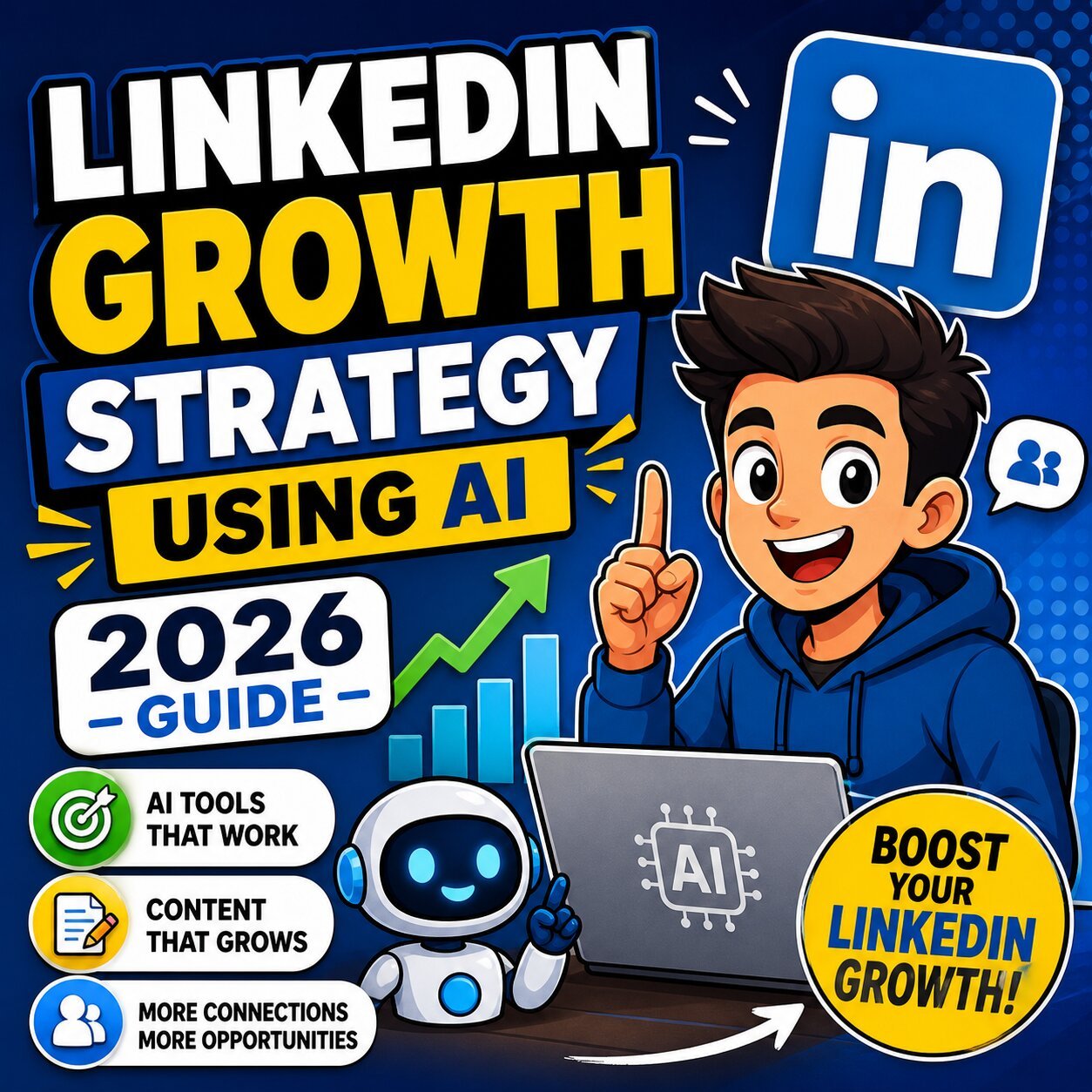
LinkedIn Growth Strategy Using AI
If you’ve been posting on LinkedIn consistently and still feel like you’re shouting into a void — you’re not imagining it. Organic reach has dropped by nearly 50% for professionals using outdated playbooks. The platform now has over 1.2 billion registered members, and the competition for attention has never been fiercer.
But here’s what most guides won’t tell you: the professionals quietly dominating LinkedIn right now aren’t just working harder. They’re using AI — the right way.
This LinkedIn growth strategy using AI (2026 guide) breaks down exactly what’s working right now. From how the algorithm actually distributes content, to the AI tools worth your money, to a full 90-day action plan — this is the complete, no-fluff playbook for building real authority on LinkedIn in 2026.
What LinkedIn Growth Actually Means in 2026 (It’s Not What You Think)
Most people measure LinkedIn growth by follower count or likes. That’s a mistake.
In 2026, real LinkedIn growth means:
- Inbound connection requests from your ideal audience
- DMs asking for consultations, demos, or collaboration
- Recruiters and decision-makers finding you without a cold pitch
- Opportunities landing in your inbox because of your content
The vanity-metric era is dead. And if you’re still celebrating a post with 200 likes that generated zero leads, you’re measuring the wrong thing.
The Death of the Old Playbook
The tactics that worked in 2023 are actively hurting accounts in 2026. LinkedIn’s algorithm — now powered by a system called 360Brew — has fundamentally rewired how content gets distributed.
Here’s what’s been killed off:
- Engagement bait (e.g., “Like this if you agree”) — flagged and suppressed
- LinkedIn polls — now yield a staggering 0.07% engagement rate; algorithmically categorized as low-effort bait
- Mass connection requests — detected and penalized
- Hashtag stuffing — treated as spam
- Generic comment pods — identified by semantic AI filters and throttled
The platform’s “Authenticity Update” — rolled out in early 2026 — was a direct strike against artificial growth. If your strategy relied on any of the above, that explains the sudden drop in impressions.
What Real Benchmarks Look Like in 2026
Before building a strategy, you need to know what good actually looks like:
- Personal profiles get 2.75x more reach than company pages
- Employee reshares reach 561% further than company page posts
- CEO content generates 4x more engagement than average posts
- LinkedIn Live generates 24x higher engagement than static posts
- Video posts see 36% more year-over-year engagement growth than other formats
- Companies posting 4x per week see a 2x lift in engagement; add employee advocacy and that becomes a 3x additional lift
These aren’t arbitrary numbers — they’re the benchmarks your strategy should be built around.
How the LinkedIn Algorithm Actually Works in 2026
You can’t beat a system you don’t understand. Here’s how the 360Brew algorithm distributes content in 2026.
Interest-Based Distribution (Not Just Your Network)
LinkedIn’s feed is no longer just a reflection of your first-degree connections. In 2026, it’s driven by an interest-graph model powered by semantic understanding.
What that means practically: the algorithm reads the actual meaning of your posts — not just keywords — and categorizes your expertise. When it decides you’re a credible voice on a specific topic, it pushes your content to users consuming similar material, even if they’ve never connected with you.
This is a massive opportunity if you play it right. It’s a ceiling if you don’t.
The Depth Score — The New Currency of LinkedIn Reach
Forget chasing likes. LinkedIn now tracks “deep signals” to evaluate post quality:
- ✅ Saves (highest signal — means someone found real value)
- ✅ Shares with commentary (shows genuine endorsement)
- ✅ Meaningful comments that contribute new perspective
- ✅ Extended dwell time (how long someone reads before scrolling away)
- ❌ Generic “Great post!” comments — near-zero weight
- ❌ Likes without engagement — low signal, barely counted
If your posts aren’t generating saves and real comment discussions, the algorithm quietly buries them — regardless of how many likes they get.
The Momentum Model (Say Goodbye to the Golden Hour)
For years, LinkedIn marketers stressed about the first 60 minutes after posting. If the post didn’t take off immediately, it was considered dead.
That’s no longer how it works.
The 2026 algorithm operates on a 3–8 hour evaluation window called the Momentum Model. LinkedIn tests your post with a small sample of your audience. If it maintains a high Depth Score — consistent dwell time, quality comments — over several hours, the algorithm confidently expands distribution to second and third-degree connections.
A post that starts slowly in hour one can still go viral by hour eight. This changes when, how, and why you engage after publishing.
Semantic SEO Over Hashtag Stuffing
Adding 20 hashtags at the bottom of your post isn’t just useless — it actively signals spam behavior to the algorithm in 2026.
Instead, LinkedIn now rewards semantic SEO: weaving relevant industry terms, concepts, and keywords naturally into the body of your post. If you write about SaaS marketing, terms like “customer acquisition cost,” “churn reduction,” and “pipeline velocity” should appear organically in your copy — not as hashtags, but as proof of expertise.
This is one of the most underused optimization tactics for both posts and profiles.
The Role of AI in LinkedIn Growth Strategy — 2026 Edition
Here’s the nuance most guides miss: AI is a force multiplier, not a content factory.
Using AI to generate and publish posts without human editing is exactly what the Authenticity Update penalized. The professionals winning in 2026 use AI to work faster, think clearer, and show up more consistently — while keeping their actual voice and perspective front and center.
AI-assisted features have now been adopted by 34% of LinkedIn users, resulting in a 2.1x improvement in profile views. The market for LinkedIn automation tools alone has reached an estimated $850 million annually. This isn’t a trend — it’s infrastructure.
Five Ways AI Is Reshaping LinkedIn Growth Right Now
1. Content ideation and first-draft creation AI ends the blank page problem. Tools like Taplio and ContentIn generate post drafts in your voice — you add the insight, experience, and edit for authenticity.
2. Semantic profile optimization AI can analyze your niche, map keyword clusters for your target audience, and help rewrite your headline and About section to rank in LinkedIn’s semantic search.
3. Personalized outreach at scale AI enriches lead data and generates personalized DM openers based on a prospect’s LinkedIn activity, role, and company — making outreach feel human even at volume.
4. Context-aware engagement Tools like Engage AI generate thoughtful comment suggestions aligned to your tone. You review and personalize before hitting send — keeping engagement genuine while saving hours.
5. Analytics and performance intelligence Tools like Shield Analytics reveal which posts are actually driving profile views, connection requests, and real opportunities — so you stop guessing and start doubling down on what works.
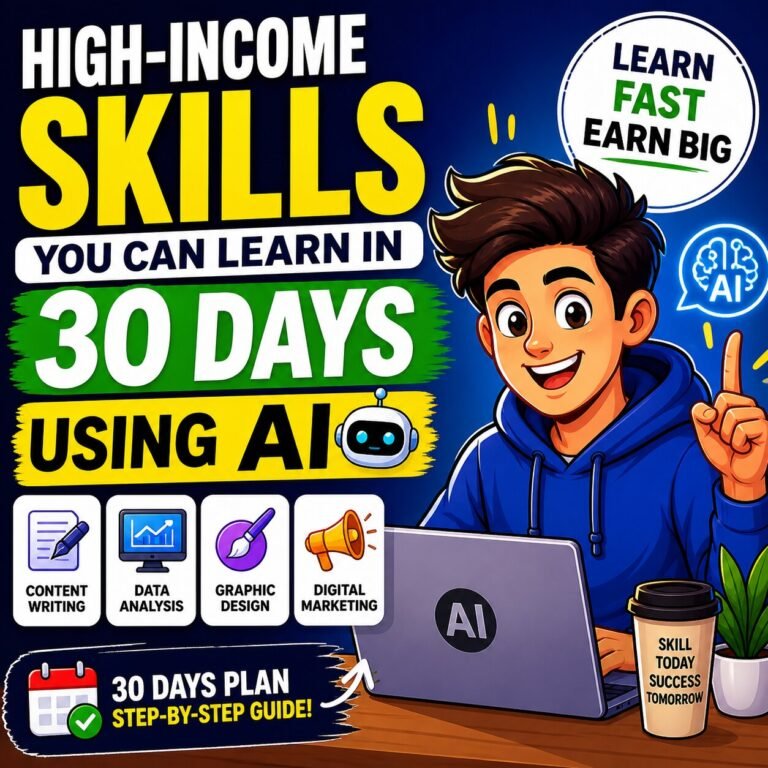
If you’re looking to develop the underlying skills that make AI work for your career, check out these high-income skills you can learn in 30 days using AI — many of them directly apply to building LinkedIn authority.
The Line Between Safe AI and Account-Killing Automation
Not all automation is created equal. LinkedIn’s semantic AI filters in 2026 are specifically designed to detect brute-force tactics. Here’s the risk spectrum:
| Tier | Tools | Risk Level |
|---|---|---|
| Native | LinkedIn’s built-in AI, native scheduling | ✅ Zero risk |
| Partner Integrations | Shield Analytics, Buffer, ContentIn | ✅ Safe |
| Gray Zone | Expandi, Dripify (with strict limits) | ⚠️ Use carefully |
| Danger Zone | Mass auto-connect bots, scraping tools | ❌ Account restriction |
The rule: automate processes, never relationships.
Best AI Tools for LinkedIn Growth in 2026 (Curated by Use Case)
There are dozens of tools claiming to grow your LinkedIn. Most aren’t worth your time or money. Here’s what actually works, organized by what you’re trying to accomplish.
For Content Creation
Taplio — Best overall for personal brand builders. Generates LinkedIn-native posts, schedules at optimal times, and tracks what’s performing. The viral post library is genuinely useful for idea inspiration.
ContentIn — Built specifically for LinkedIn professionals. The voice-training feature learns your writing style so drafts feel like you, not ChatGPT. Includes deep analytics tied to real business outcomes.
Supergrow — Ideal for B2B teams. Turns expertise into consistent posts and creates a structured employee advocacy system without forcing generic reshares.
AuthoredUp — A Chrome extension that sharpens your hooks, organizes drafts, and formats posts for maximum readability directly in the LinkedIn editor.
Jasper — For larger teams needing brand consistency. Its “Brand Voice” feature ensures everyone from your SDRs to your CEO posts content that sounds aligned with your company’s messaging.
For Profile Optimization
- ChatGPT / Claude — Use them to rewrite your headline, About section, and Featured section copy using semantic keyword clusters. Always humanize the output.
- Canva AI — Creates professional banners, carousel slides, and post visuals without needing a designer.
- AI headshot generators — Increasingly noticed by recruiters; a polished, professional profile photo still matters in 2026.
For job seekers specifically, pair your profile upgrade with an AI-powered resume analysis to ensure your LinkedIn and resume are telling the same story to hiring managers.
For Outreach and Prospecting
Expandi — Cloud-based LinkedIn outreach that runs automated, personalized sequences while staying within LinkedIn’s behavioral limits. Best for growth marketers and agencies.
Clay — Enriches lead lists with data pulled from LinkedIn, websites, and CRMs, then uses AI to generate hyper-personalized message openers for each prospect.
Crystal — Analyzes a prospect’s LinkedIn profile and recommends communication style based on DISC personality types. Knowing whether to be direct or warm before sending a message is a significant conversion advantage.
LinkedIn Sales Navigator — Still the gold standard for targeting. When paired with AI tools for personalization, it can double response rates by identifying high-intent prospects before outreach begins.
For Scheduling and Analytics
Shield Analytics — The best LinkedIn analytics platform available. Tracks lifetime post data, audience demographics, engagement trends, and profile view correlations. If you’re serious about LinkedIn, this is non-negotiable.
Buffer / PostEverywhere — Optimize posting times using AI analysis of your audience’s activity patterns. Set it up once and stop guessing when to post.
For Video (The Fastest-Growing Format)
Descript — Text-based video editing that lets you edit footage by editing a transcript. Dramatically reduces post-production time for LinkedIn video content.
OpusClip — Upload a long webinar or keynote; OpusClip’s AI extracts the best clips, adds captions, reframes for LinkedIn, and delivers publish-ready short videos in minutes.
Many of these tools also serve broader workplace productivity needs — if you want a wider view, explore the best AI tools for office workers in 2026 for tools that extend beyond LinkedIn.
LinkedIn Profile Optimization Using AI — The 2026 Standard
Your LinkedIn profile is not a resume. It’s a landing page. And in 2026, it’s also a search-ranked asset that either attracts inbound opportunities or gets ignored.
The Three-Part Profile Hierarchy
Every optimized profile in 2026 is built around three layers:
- Headline — Communicates who you help and what outcome you deliver (not your job title)
- About Section — Reads like a high-converting page: hook → audience pain point → proof → clear CTA
- Featured Section — Showcases your best frameworks, lead magnets, case studies, or career proof points
The algorithm reads all three when determining your topical authority. So does every recruiter, prospect, and potential collaborator who lands on your page.
How to Use AI to Rewrite Each Profile Section
Profile Photo & Banner: Generate a professional AI headshot if needed. Design a banner in Canva AI that communicates your niche in 5 seconds or less.
Headline: Ask ChatGPT or Claude: “Write 5 LinkedIn headlines for a [role] who helps [audience] achieve [outcome]. Avoid generic phrases like ‘passionate’ or ‘results-driven.'” Pick the sharpest one and test it.
About Section: Feed AI your background, your best wins, and your target audience. Ask it to write an About section with a strong hook, a pain-point acknowledgment, specific proof, and a CTA. Then rewrite it in your own voice — add stories, specifics, and personality that AI can’t fabricate.
Skills Section: Use AI to generate a semantic keyword map for your industry. Add those skills strategically — they’re a direct factor in how LinkedIn surfaces your profile in recruiter and buyer searches.
Semantic Profile Optimization — The Overlooked Ranking Factor
Most professionals optimize for job titles. Smart professionals optimize for topical clusters.
If you’re a product marketer, your profile shouldn’t just say “Product Marketing Manager.” It should organically contain related terms like “go-to-market strategy,” “positioning,” “competitive intelligence,” and “launch execution” — across your headline, About, experience bullets, and skills.
This is how LinkedIn’s semantic search learns what you’re an expert in — and starts sending you the right inbound traffic.
If you’re building toward one of the best AI-powered careers in 2026, your profile’s keyword architecture should reflect the exact language those hiring managers and clients are searching for.
AI-Powered LinkedIn Content Strategy — What to Post and Why
The most important question on LinkedIn isn’t “how often should I post?” It’s “what should I post that my specific audience actually needs to read?”
AI helps you answer that question at scale.
Build Your Content Pillar Framework With AI
Start by asking ChatGPT or Claude: “What are the top 5 problems faced by [your target audience] in [your industry] in 2026?”
Use the answers to define 3–5 content pillars — recurring themes your posts rotate through. Each pillar should map to a stage in your audience’s journey:
- Awareness pillar: Industry insights, trends, counterintuitive takes
- Trust pillar: Personal stories, behind-the-scenes, failures and lessons
- Authority pillar: Frameworks, how-tos, step-by-step breakdowns
- Conversion pillar: Case studies, results, social proof (used sparingly — max 20% of content)
Batch-create content for each pillar using AI. Then humanize each post with your personal perspective before publishing.
Top-Performing Content Formats in 2026
Native Video — The highest-priority format. LinkedIn is investing heavily in video infrastructure, and video posts see 36% more year-over-year engagement growth. You don’t need a studio — your phone, good lighting, and Descript for editing are enough.
Carousels (PDF/Document Posts) — High-save, high-dwell-time format. Carousels see a 6.60% engagement rate — one of the highest on the platform. Every slide that makes someone swipe is a depth signal.
Long-form text with open-ended questions — Not polls. A thoughtful, nuanced question at the end of a text post invites real comment conversations — exactly what the Depth Score rewards.
Personal stories — The algorithm can’t measure authenticity, but your audience can feel it. Stories about real failures, pivots, and lessons consistently outperform polished corporate content.
LinkedIn Live / Audio Events — Generate 24x higher engagement than static posts. If you have something worth discussing live, the platform actively promotes these events.
Mastering the Hook — The Most Underrated Skill on LinkedIn
The first 2–3 lines of your post determine whether anyone reads the rest. LinkedIn truncates posts after those lines — so your hook is everything.
AI-assisted hook frameworks that work in 2026:
- The Counterintuitive Claim: “Most LinkedIn advice will shrink your audience in 2026. Here’s what actually works.”
- The Specific Number: “I spent 30 minutes a day on LinkedIn for 90 days. Here’s what changed.”
- The Story Open: “My first LinkedIn post got 3 views. My 47th one got 80,000. Here’s the difference.”
- The Bold Statement: “Your headline is why recruiters aren’t reaching out.”
Use AI to generate 5–10 hook variations for each post, then choose the sharpest one. Over time, track which hook styles generate the most click-throughs and dwell time via Shield Analytics.
Your Posting Cadence + Engagement Block System
Consistency beats frequency. Here’s what the data supports:
- Minimum: 3 posts per week
- Optimal: 4–5 posts per week
- Daily engagement block: 20–30 minutes of genuine commenting on posts in your niche
That last point is critical. Leaving deeply analytical, additive comments on posts by top voices in your industry is one of the most powerful (and underused) distribution tactics available. It borrows their audience by putting your name in front of people who already trust them.
Use Engage AI to generate comment starting points, then rewrite them in your voice before posting. Never publish an AI comment verbatim.
Automation vs. Personalization — Where to Draw the Line
This is where most LinkedIn strategies break down. People either automate everything and destroy their reputation, or they avoid automation entirely and burn out.
The answer is a clear division of labor.
Automate These
- Post scheduling and timing optimization
- First-draft content generation
- Analytics tracking and reporting
- Lead list building and enrichment
- Comment suggestion generation (before human review)
- Hashtag and keyword research
Keep These Human
- Final review and voice-matching of all AI content
- Personal stories, experiences, and opinions
- Responses to comments on your posts
- Direct message conversations and follow-ups
- Connection request notes
- Any communication that builds a relationship
The best approach is always AI efficiency combined with genuine human engagement. Tools that automate relationship-building create the exact kind of behavior that LinkedIn’s 2026 semantic filters are designed to flag.
Common LinkedIn Growth Mistakes to Avoid in 2026
Even with the right tools, these mistakes will cap your growth.
Mistake #1: Publishing Generic AI Content Without a Human Layer
Generic AI-generated posts blend into a sea of noise. Posts that stand out have a specific voice, real data, and a perspective that only you can offer. AI writes the draft — you make it real.
Mistake #2: Optimizing for Vanity Metrics
If your goal is likes, you’ll build an audience of passive scrollers. If your goal is saves and real conversations, you’ll build a pipeline.
Mistake #3: Treating Your Profile Like a Static Resume
Your profile needs to be updated and optimized like a live asset. Revisit it quarterly. Update your Featured section with new wins. Rewrite your headline as your positioning sharpens.
Mistake #4: Posting and Walking Away
The first hour after publishing is when your active engagement matters most. Respond to comments. Ask follow-up questions. Signal to the algorithm that your post is generating real conversation.
Mistake #5: Using Hashtags Instead of Semantic Language
Stop stuffing hashtags. Start weaving industry language naturally into your posts. The algorithm rewards contextual relevance, not metadata signals.
Mistake #6: Skipping Video Because It Feels Uncomfortable
Video is the fastest-growing format on LinkedIn. Creators who post video at least 3x per week see 3.5x more profile views than those who avoid it. Start with a 60-second vertical video using your phone. It doesn’t need to be perfect — it needs to be real.
Mistake #7: Automating Your Outreach Voice
Templated DMs that feel robotic kill trust instantly. AI can help you research and craft personalized openers — but the message should always feel like it came from a human who actually read someone’s profile.
Real-World Case Studies — What’s Working on LinkedIn in 2026
Case Study 1: The Solo Founder Generating Inbound Leads With AI Carousels
A B2B SaaS founder with 2,400 followers defined three content pillars: founder lessons, product-market fit frameworks, and team-building mistakes. Using ContentIn, they batch-created 12 carousel posts per month — each drafted by AI, rewritten with personal stories and specific data.
Result after 90 days: 11,000 followers, 3 inbound demo requests per week, 2 podcast appearances.
The key: carousels were designed for saves (each slide had a reusable framework), which drove Depth Score and pushed content into non-follower feeds via interest-graph distribution.
Case Study 2: The Sales Team Using Clay + Crystal for Personalized Outreach
An enterprise sales team combined Clay for lead enrichment with Crystal for communication style intelligence. Instead of sending 200 identical DMs, they sent 40 personalized messages per week — each referencing a specific post, company milestone, or shared connection.
Result: Reply rate went from 4% to 11%. Pipeline sourced from LinkedIn increased by 60% in one quarter.
When paired with an AI interview coach for their sales conversations, conversion rates improved further — showing how AI tools compound across the entire professional workflow.
Case Study 3: The Executive Building Thought Leadership Through AI-Assisted Employee Advocacy
A VP of Sales at a mid-market firm implemented a cross-posting system: their team of 8 used Supergrow to post original content 3x per week. When the VP published a thought leadership piece, team members dropped contextual AI-assisted comments within the first hour.
The cross-pollination of deep engagement signals created a “halo effect” — the algorithm interpreted the collective engagement as authority validation, and pushed the VP’s content to thousands of non-followers in their target ICP.
Result: 400% increase in inbound connection requests from decision-makers within 60 days.
Case Study 4: The Job Seeker Who Got Recruiter Inbound in 30 Days
A mid-level engineer rewrote their LinkedIn profile using Claude, targeting semantic keyword clusters around “machine learning infrastructure,” “MLOps,” and “model deployment” — rather than just listing job titles.
They posted 3x per week about technical lessons and career pivots, building a commenting habit on engineering leadership profiles.
Result: 5 recruiter messages in 30 days — all inbound, all for roles above their previous salary band.
Engineers building their LinkedIn presence should also explore highest paying engineering jobs in 2025–2026 to align their content positioning with the roles they actually want to attract.
The 90-Day LinkedIn Growth Framework Using AI (Step-by-Step)
This is the operational playbook. Not theory — a week-by-week system.
Month 1 — Foundation (Days 1–30)
Week 1: Profile Overhaul
- Use AI to audit your headline, About section, and Featured section
- Generate a semantic keyword map for your niche
- Rewrite your headline using the value-outcome formula
- Redesign your banner in Canva AI
- Set up Shield Analytics and connect your profile
Week 2: Content Architecture
- Define your 3–5 content pillars
- Set up your AI tool stack (ContentIn or Taplio + Shield + Buffer)
- Batch-create your first 12 posts using AI drafts; humanize each one
- Schedule at 3x/week with AI-optimized timing
Week 3: Engagement System
- Start your daily 20–30 minute commenting block
- Target 5–10 posts per day from top voices in your niche
- Leave substantive comments — not reactions
- Track which content formats get early Depth Score signals
Week 4: First Data Review
- Pull Shield Analytics data for your first 12 posts
- Identify which formats, hooks, and topics generated the most saves
- Adjust your content mix for Month 2
Month 2 — Consistency (Days 31–60)
- Increase posting frequency to 4–5x per week
- Introduce your first native video post (just 60–90 seconds is enough)
- Launch a personalized outreach sequence using Clay + Expandi (with strict daily limits)
- Begin A/B testing 2 hook styles per week
- Expand your commenting strategy to include voices outside your immediate niche
Month 3 — Momentum (Days 61–90)
- You should start seeing inbound connection requests and DMs; treat them as warm leads
- Double down on your top 3 performing post formats (Shield data will tell you exactly what they are)
- Launch one LinkedIn Live or Audio Event — it generates 24x more engagement than a static post
- Begin building a simple employee advocacy loop if you lead a team
- Set 90-day goals for the next cycle based on real pipeline and opportunity data
Your Minimum Viable AI Stack for Every Budget
| Budget | Stack |
|---|---|
| Free | LinkedIn native AI + ChatGPT + manual analytics |
| <$30/month | Buffer + ChatGPT Pro + AuthoredUp |
| $30–$99/month | ContentIn or OutXAI + Shield Analytics |
| $100+/month | Taplio + Clay + Expandi + Crystal + Shield |
Start at the level you can sustain. An imperfect system you actually run beats a premium stack you never use.
For professionals building their broader career system around AI tools, building a second brain with AI is the logical next step — it turns your content ideas, notes, and research into a system that never runs dry.
The Future of LinkedIn Growth — What’s Coming Next
AI Agents Taking Over Outreach Workflows
AI SDRs — like Agent Frank from Lemlist — are now running full prospecting sequences: researching prospects, sending personalized messages, following up, and flagging hot leads for human review. This is no longer experimental; it’s being deployed by growth teams at scale.
LinkedIn’s Native AI Features Expanding
LinkedIn is building more AI assistance directly into the platform: AI-powered profile scoring, writing suggestions, collaborative articles, and job-match intelligence. The platforms that integrate with LinkedIn’s native tools will have a built-in safety advantage over gray-zone automation.
Video Becoming the Default Format
Video’s 36% year-over-year engagement growth isn’t slowing down. By 2027, video may be the baseline format — not an enhancement. Creators who build a video habit now will have a compounding advantage.
Hyper-Niche Thought Leadership Outperforming Broad Content
The interest-graph model rewards specificity. Broad career advice is increasingly invisible. The professionals winning in 2026 and beyond will be the ones who own a specific topic — not just comment on industry trends.
Conclusion: Your LinkedIn Growth System Starts Today
Here’s the honest truth: LinkedIn growth isn’t complicated. It requires a clear strategy, the right tools, consistent execution, and enough patience to let the compound effect do its work.
The professionals who see results aren’t smarter than you. They just started their system 90 days earlier.
The LinkedIn growth strategy using AI laid out in this guide gives you everything you need:
- A clear understanding of how the 2026 algorithm actually works
- An optimized profile that attracts inbound traffic
- A content system that generates depth signals — not just likes
- An AI tool stack that matches your budget and goals
- A 90-day framework with week-by-week actions
Pick one thing from this guide and do it today. Rewrite your headline. Draft your first AI-assisted post. Set up Shield Analytics. The only LinkedIn growth strategy that doesn’t work is the one you never start.
Ready to pair your LinkedIn growth with a complete career strategy? Start with an AI-powered resume analysis to make sure your resume matches the authority you’re building on LinkedIn — and use our AI interview coach to be ready when the opportunities start arriving.